
Download Horizon – Calendar‑Based Personal Finance Manager
Overview
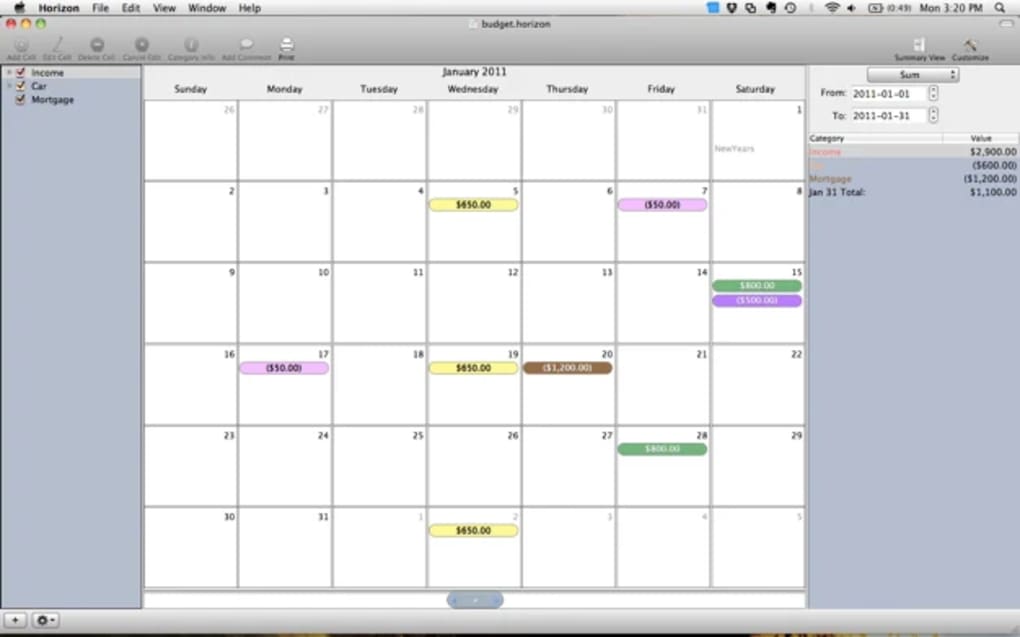
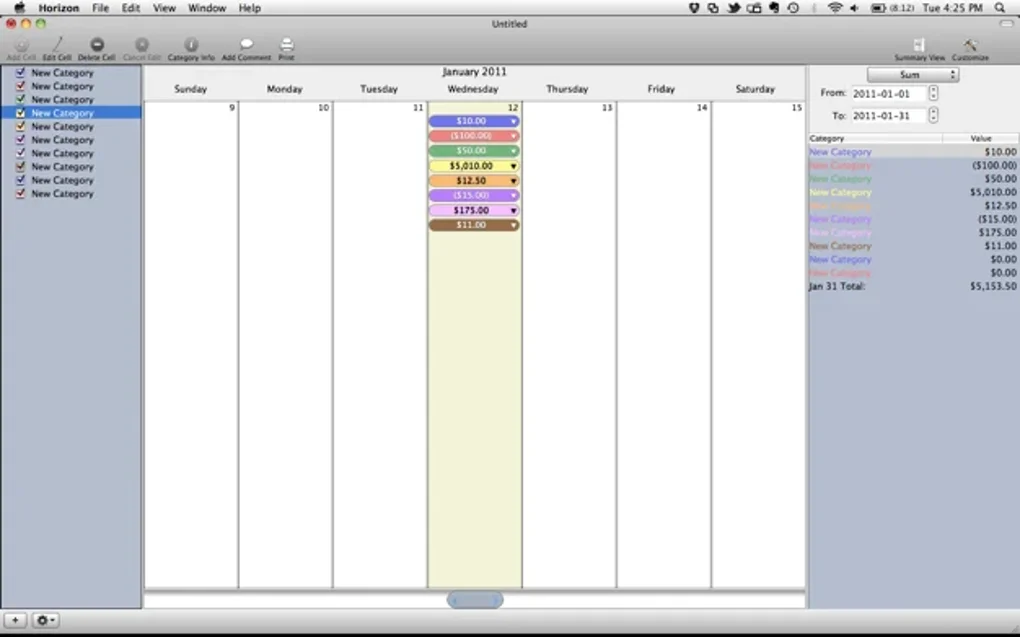
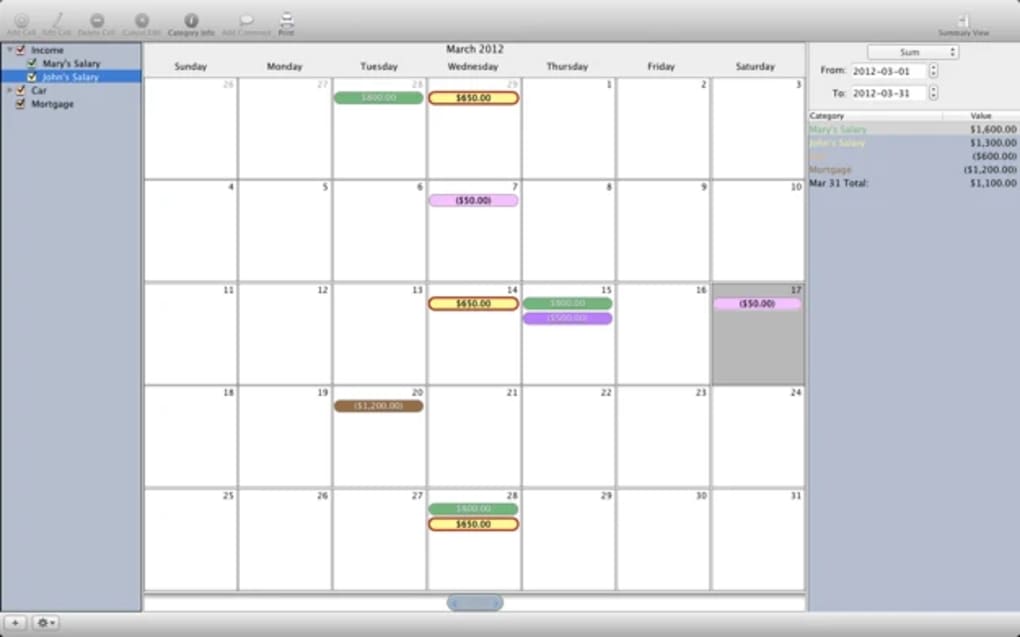
Horizon reimagines personal finance tracking by placing every income and expense on an interactive calendar. Instead of scrolling endless rows of numbers, you simply click a date, type the amount, choose a category, and watch your financial picture form in real time. The left‑hand pane lets you create and edit categories—whether “Groceries,” “Rent,” “Freelance Income,” or custom tags—so each entry stays neatly organized.
On the right side, Horizon performs instant calculations, showing totals for the selected period, the balance before the chosen date, and projected cash flow based on recurring entries. A built‑in intro video walks new users through the workflow, while sample files provide a ready‑made starting point. Though the video quality is modest, the software’s intuitive design makes budgeting feel less like a chore and more like planning a personal timeline.
Horizon isn’t a heavyweight accounting suite, but its calendar‑centric view brings a fresh, visual twist that can help users of any skill level see where their money goes and plan future spending with confidence.
Key Features
- Calendar view for all transactions – add, edit, or delete entries directly on any date.
- Category management panel on the left for unlimited custom categories.
- Dynamic calculation pane on the right that updates totals, balances, and forecasts instantly.
- Recurring entry scheduler – set daily, weekly, monthly or yearly repeats.
- Three‑finger swipe gestures on trackpads to navigate months quickly.
- Auto‑expanding formula bar for complex notes or calculations.
- Introductory video and sample files to accelerate the learning curve.
- Bug‑fixes and enhancements, such as corrected series deletion and smoother UI responsiveness.
Why These Features Matter
Traditional finance apps rely on tables or list views that can feel abstract and detached from real life. Horizon’s calendar approach grounds each transaction in a specific day, making it easier to remember why you spent money and to spot patterns—like that weekly coffee run or the monthly subscription that quietly drains your account. Category management stays out of the way until you need it, while the right‑hand calculation pane removes the need to export data to a spreadsheet for quick totals. Recurring entries automate regular bills, reducing manual entry errors, and the swipe gestures provide a fluid navigation experience on modern laptops and tablets. Together, these features turn budgeting into an interactive, visual planning session rather than a tedious data‑entry task.
Installation, Usage & Compatibility
Step‑by‑Step Installation
Getting Horizon up and running is straightforward. After downloading the installer from the official website, double‑click the file to launch the wizard. The installer checks for the required .NET framework (or equivalent runtime on macOS) and prompts you to install any missing components.
Once the prerequisites are satisfied, click “Install” and let the process complete—typically under two minutes on a modern PC. After installation, a shortcut appears on the desktop and in the start menu (or Applications folder on macOS). The first launch opens the welcome screen with a brief tour and an option to import one of the provided sample files.
Using Horizon Effectively
Upon opening Horizon, you’ll see three main panels: the left‑hand category list, the central calendar, and the right‑hand calculation pane. To record a new expense, click the desired date, type the amount, select a category, and optionally add a note in the formula bar. For recurring bills, choose “Repeat” and set the interval; Horizon will automatically generate future entries.
The calculation pane updates in real time, showing the total spent up to the selected date, the projected balance, and any upcoming recurring payments. To analyze spending trends, navigate months using the three‑finger swipe or the arrow buttons at the top of the calendar. Export options allow you to save your data as CSV or PDF for external reporting.
Supported Operating Systems
Horizon runs natively on Windows 10 and later, macOS 10.14 (Mojave) and newer, and offers a companion Android app for on‑the‑go entry. An iOS version is currently in beta testing, with full release planned for early next year. The software requires a minimum of 2 GB RAM and 200 MB of free disk space, making it suitable for virtually any modern desktop or laptop. For mobile devices, the Android app needs Android 6.0 (Marshmallow) or higher, while the iOS beta runs on iOS 13+. All versions share the same cloud‑sync backend, so your calendar updates stay consistent across platforms.
Pros, Cons, Frequently Asked Questions & Final Thoughts
Pros
- Intuitive calendar interface makes budgeting visual and engaging.
- Easy category creation keeps expenses well organized.
- Real‑time calculations eliminate the need for external spreadsheets.
- Recurring entry scheduler saves time on regular bills.
- Gesture support provides quick month‑to‑month navigation.
- Free to download with no hidden subscription fees.
Cons
- Intro video quality is modest and may require subtitles for clarity.
- Lacks advanced accounting features such as tax reporting.
- iOS version is still in beta and may have occasional bugs.
- Limited reporting templates compared to full‑scale finance suites.
FAQ
Can I import data from other budgeting apps?
Yes. Horizon supports CSV import, allowing you to bring in transactions exported from Excel, QuickBooks, or other personal finance tools. After import, you can map columns to date, amount, and category fields.
Is my financial data encrypted?
All local data files are stored using AES‑256 encryption, and cloud sync uses TLS 1.3. This ensures that your entries remain private both on‑device and in transit.
Can I set budget limits for each category?
While Horizon does not have a dedicated budgeting module, you can create a “budget” category and manually track remaining amounts using the calculation pane. Future updates aim to add native limit alerts.
How does the recurring entry feature work?
When you create a new transaction, toggle the “Repeat” switch and select the interval (daily, weekly, monthly, yearly). Horizon will auto‑populate future dates and adjust totals accordingly. Deleting a single occurrence removes only that entry; deleting the series head removes the entire series.
Is there a way to back up my Horizon data?
Yes. The application includes an automatic backup to your chosen cloud service (OneDrive, Google Drive, or iCloud). You can also manually export a backup file from the Settings menu.
Conclusion & Call to Action
Horizon offers a fresh, calendar‑centric take on personal finance management that feels both playful and purposeful. By visualizing every transaction on a familiar timeline, it helps users spot spending patterns, plan recurring bills, and stay on top of their cash flow without drowning in spreadsheets. The free price tag, cross‑platform availability, and lightweight system requirements make it an accessible choice for students, freelancers, and anyone looking to bring a bit more order to their money.
While power users may miss deep tax‑reporting tools, the core experience—simple entry, instant calculations, and visual clarity—is solid enough to serve as a daily budgeting companion. Ready to make your finances as organized as your calendar? Download Horizon today and start turning dates into dollars and cents you can actually see.







